The Physics of the Room: Circulation, Sightlines, and the Workspace Anchor
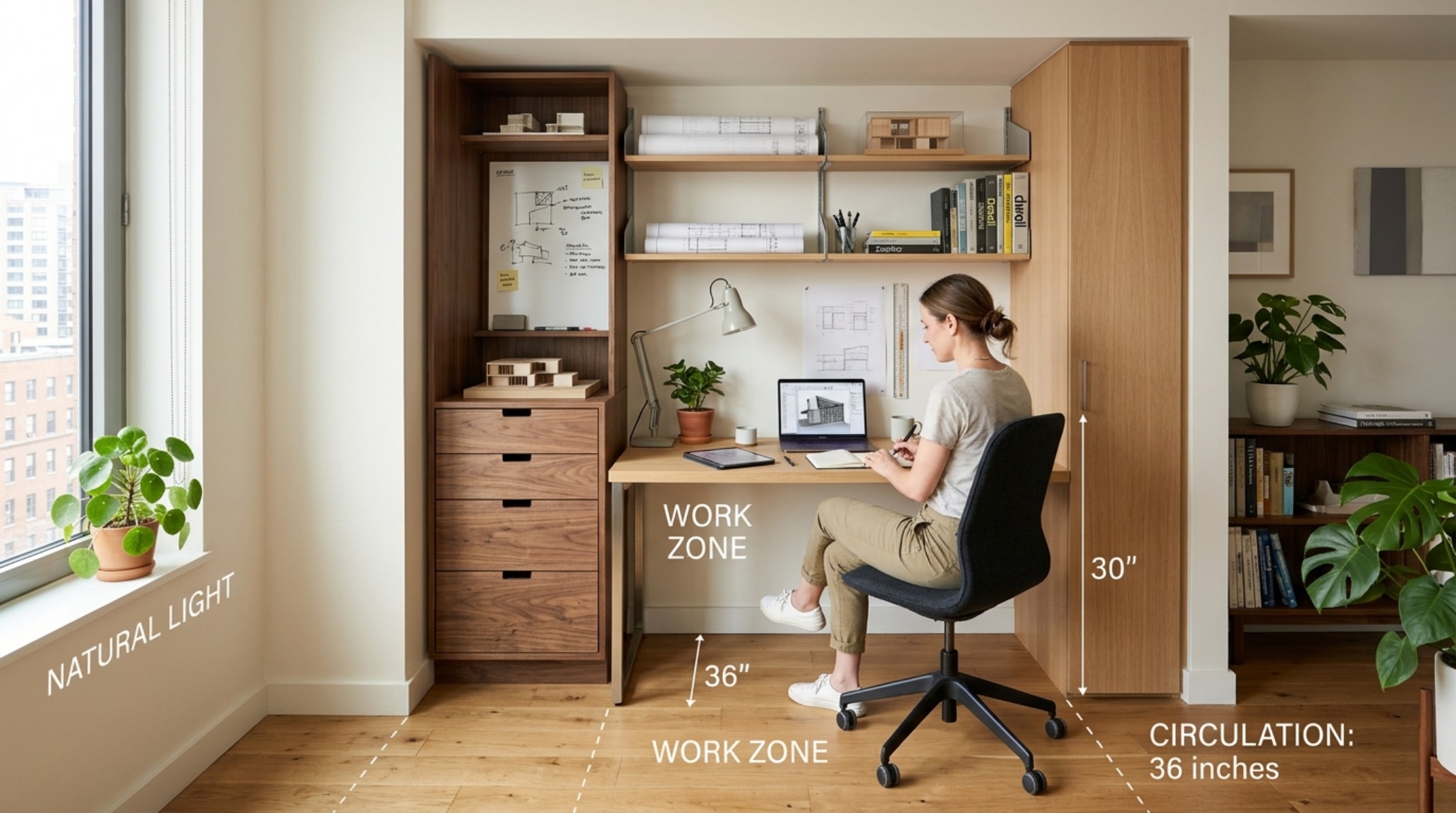
In a well-resolved room, the architecture does not merely sit there; it breathes through the movement of its inhabitants. When we look at a floor plan, we are really looking at the choreography of daily life—the 36-inch primary circulation path that ensures a natural flow between zones, the 30-inch clearance required for a chair to pull back comfortably, and the way light interacts with the central focal point. In the modern professional studio, architect desks act as the functional center of gravity. They are no longer isolated islands of labor but rather the anchors of a ‘fluid studio’ where the tactile act of sketching meets the precision of digital modeling. Achieving this balance requires more than just an aesthetic eye; it demands an understanding of anthropometrics—the study of human body measurements in relation to furniture and space.

When integrating architect desks into a home or a boutique firm, we must first respect the ‘negative space breathing room.’ A desk that crowds a doorway or blocks a sightline toward a window feels heavy and intrusive. Instead, we position the workstation to honor the spatial cadence of the room. Consider the relationship between the desk height and the window sill. Aligning the work surface with architectural horizontal lines creates a sense of visual continuity that expands the perceived volume of a small studio. By prioritizing these clearances, we transform a simple piece of furniture into a sophisticated architectural intervention.
Architectural Details & Spatial Cadence: Mastering the Architect Desk Dimensions Guide
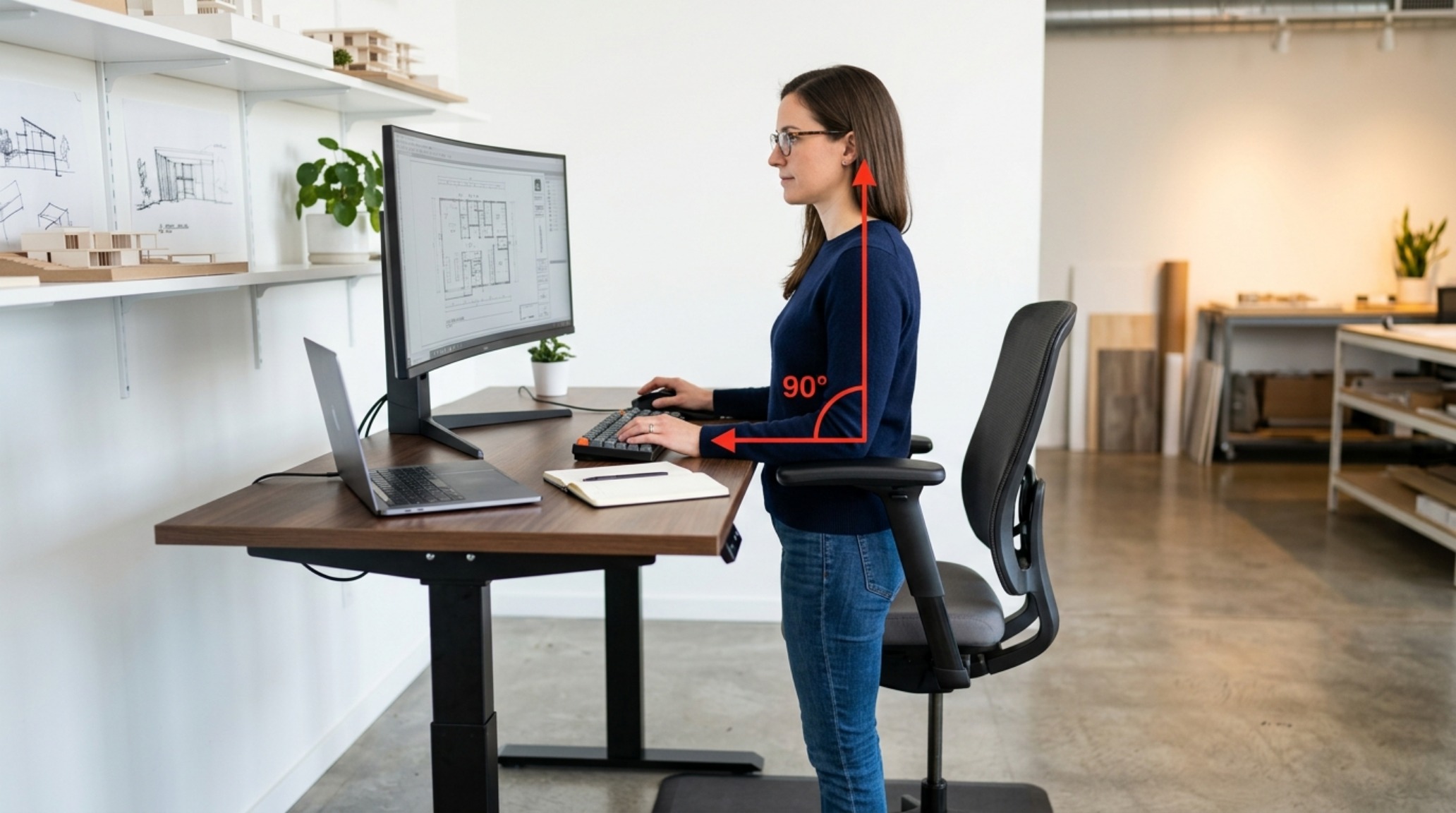
Designing a workspace starts with the math of the human body. To avoid the fatigue that plagues long hours of drafting, we look toward the rigorous standards set by Humanscale and the ergonomics of Site 3. A professional architect desk dimensions guide suggests a depth of at least 30 inches to accommodate both a monitor and a physical drawing board, allowing for a 90-degree postural alignment where the elbows rest naturally. This isn’t just about comfort; it is about the physics of the skeletal system. When your desk is too shallow, you begin to hunch, breaking the vertical alignment of the spine and compressing the diaphragm.
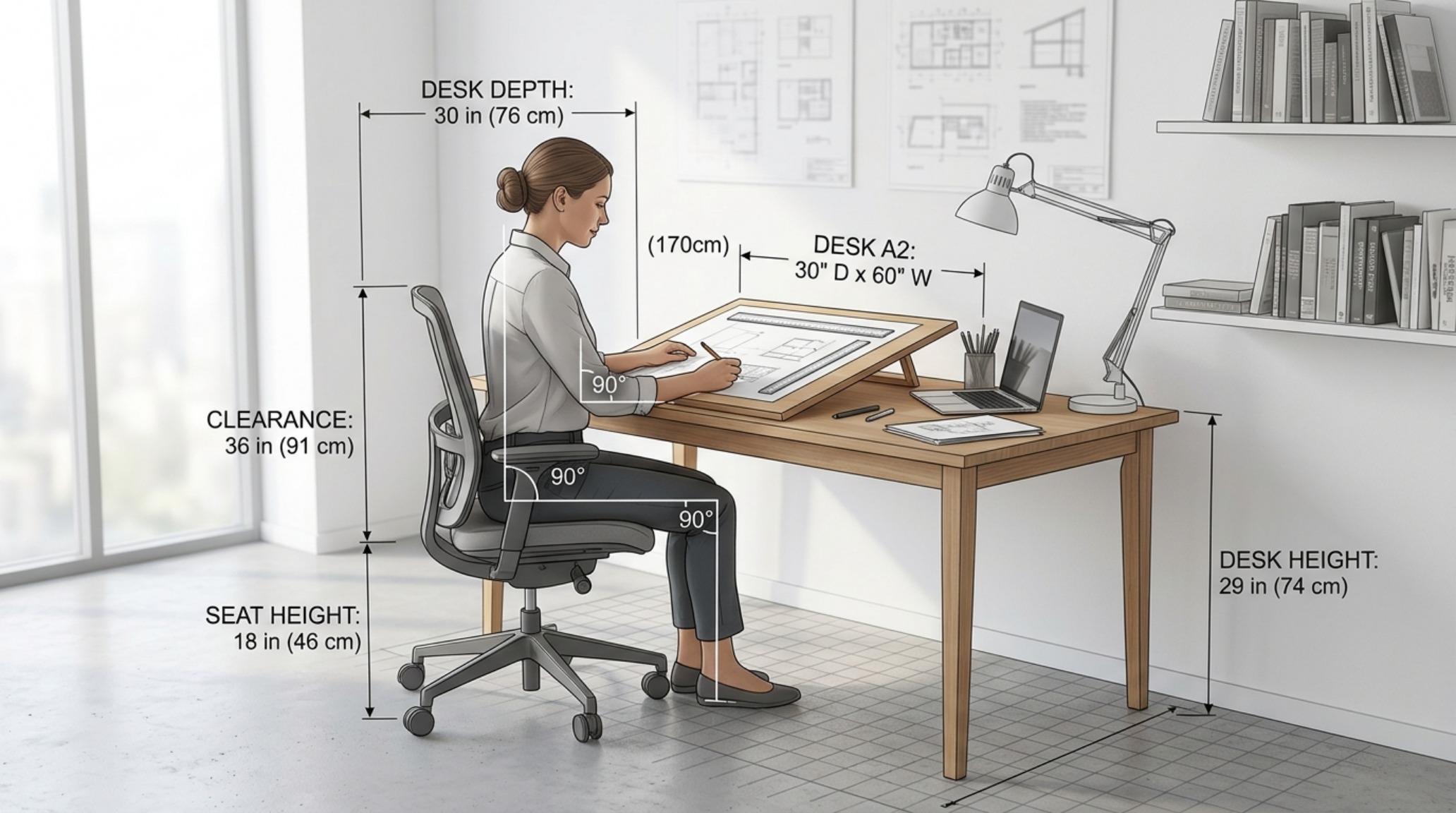
In compact urban environments, we often have to cheat the traditional footprints. This is where the ‘kinetic’ utility of the modern workstation shines. By utilizing height-adjustable frames, architect desks can transition from a 29-inch seated height to a 42-inch standing height. This movement isn’t a luxury—it is a physiological necessity that promotes blood flow and mental clarity. In these high-performance setups, we advocate for a 60-inch width, providing enough ‘real estate’ for a CAD workstation on one side and a clean drafting zone on the other, ensuring that the transition between digital and analog remains seamless and unobstructed.
Curated Concept Gallery & Spatial Vignettes: The Modern Architect Desk with Drawers
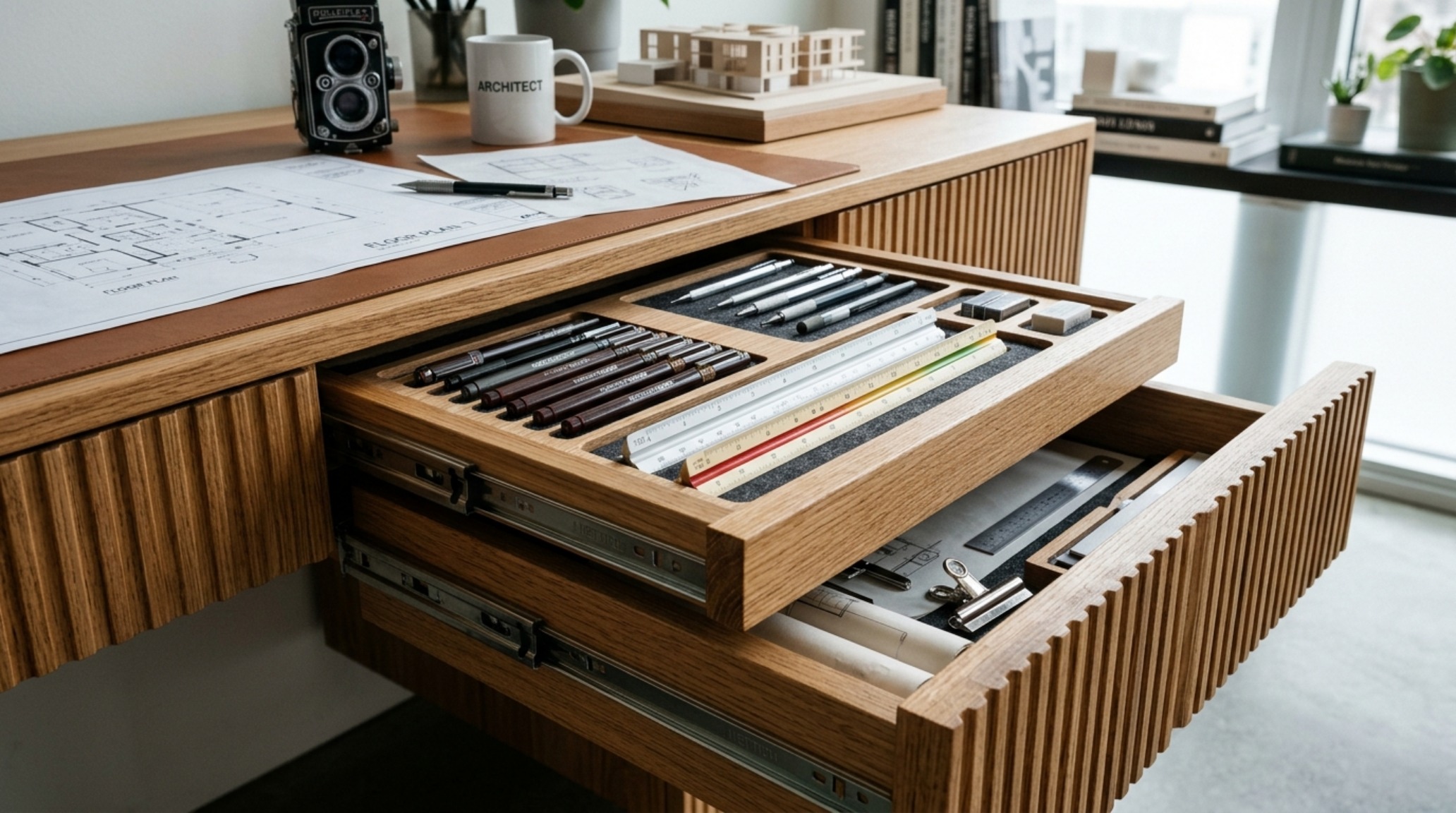
One of the greatest challenges in maintaining a minimalist aesthetic within a creative studio is the management of the ‘tools of the trade.’ A modern architect desk with drawers serves as the primary defense against visual clutter. We aren’t talking about the bulky, utilitarian pedestals of the 1990s; rather, we look for integrated, low-profile storage that disappears into the desk’s silhouette. Imagine drawers with soft-close mechanisms lined in felt, specifically designed for scale rulers, technical pens, and hard drives. This organization allows the brain to focus on the creative task at hand rather than the chaotic sprawl of equipment.
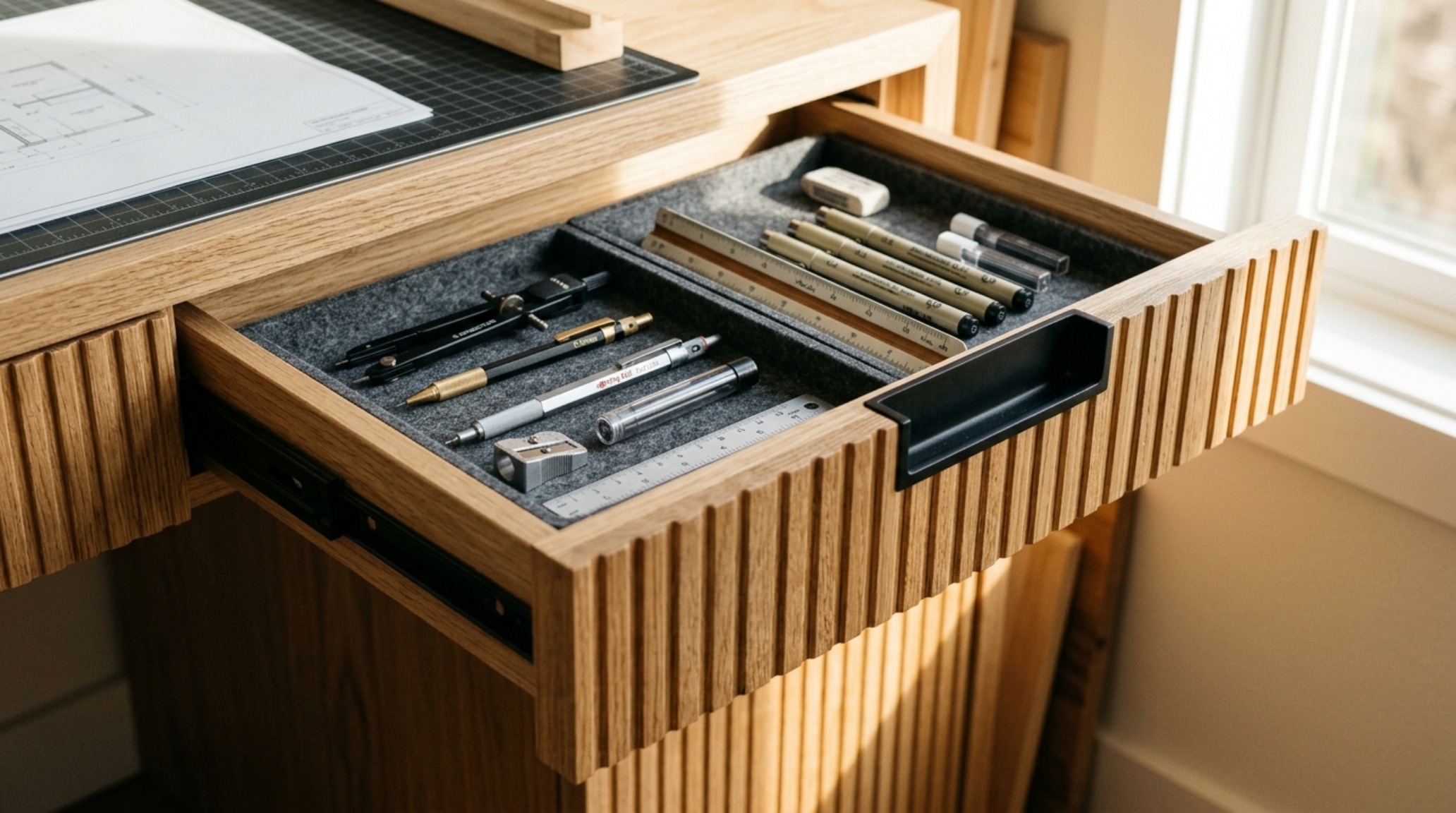
The material palette for these modern pieces often leans toward the ‘Future Deco’—think matte charcoal steels paired with fluted white oak or even a honed travertine inlay for a tactile touch. When we specify finishes, we often look to Benjamin Moore’s Swiss Coffee for walls to create a warm, neutral backdrop that lets the grain of the desk wood speak. A desk with drawers shouldn’t just be a box; it should be a piece of precision joinery. This integration ensures that the architect desks remain the ‘clean’ heart of the room, even during the peak of a complex project where documentation and samples are everywhere.
Spatial Perspectives & Lighting Vignettes: Optimizing CAD Workstation Ergonomics
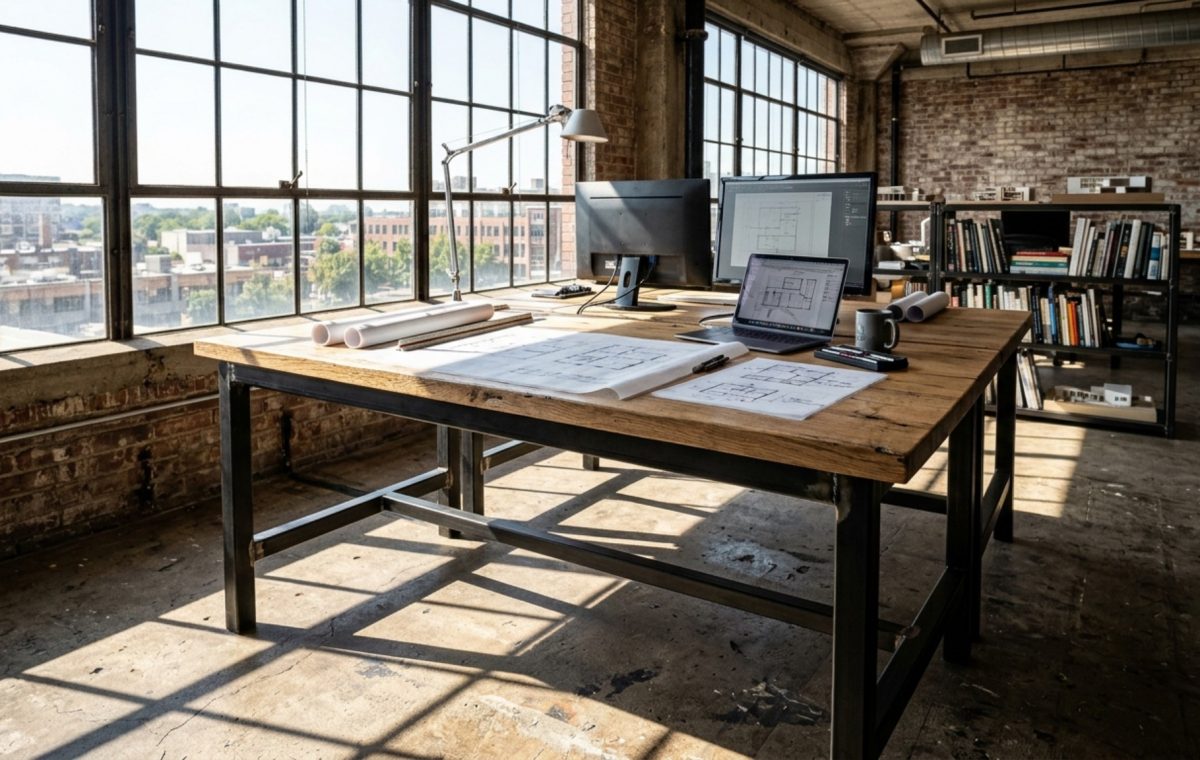
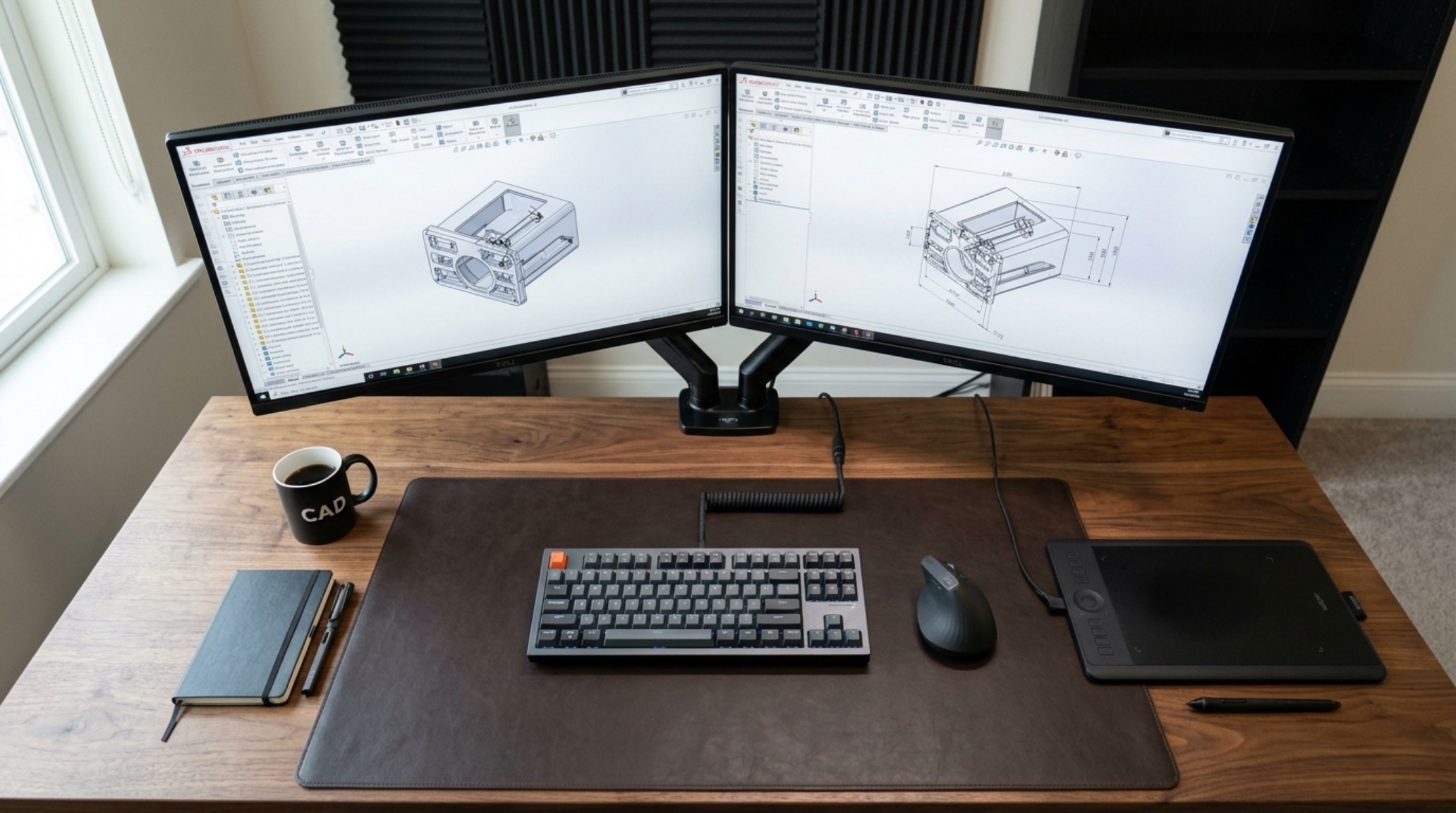
In the digital age, the screen is as much a tool as the pencil, but it introduces a new set of ergonomic challenges. To master CAD workstation ergonomics, we must address the trio of light, sight, and reach. Task lighting is paramount. We move away from generic overhead fixtures and toward high-CRI (90+) directional lamps. A lamp with a 3000K temperature provides a crisp light that mimics daylight, essential for color-accurate material selection, while a 2700K ambient light in the rest of the room prevents the space from feeling clinical.
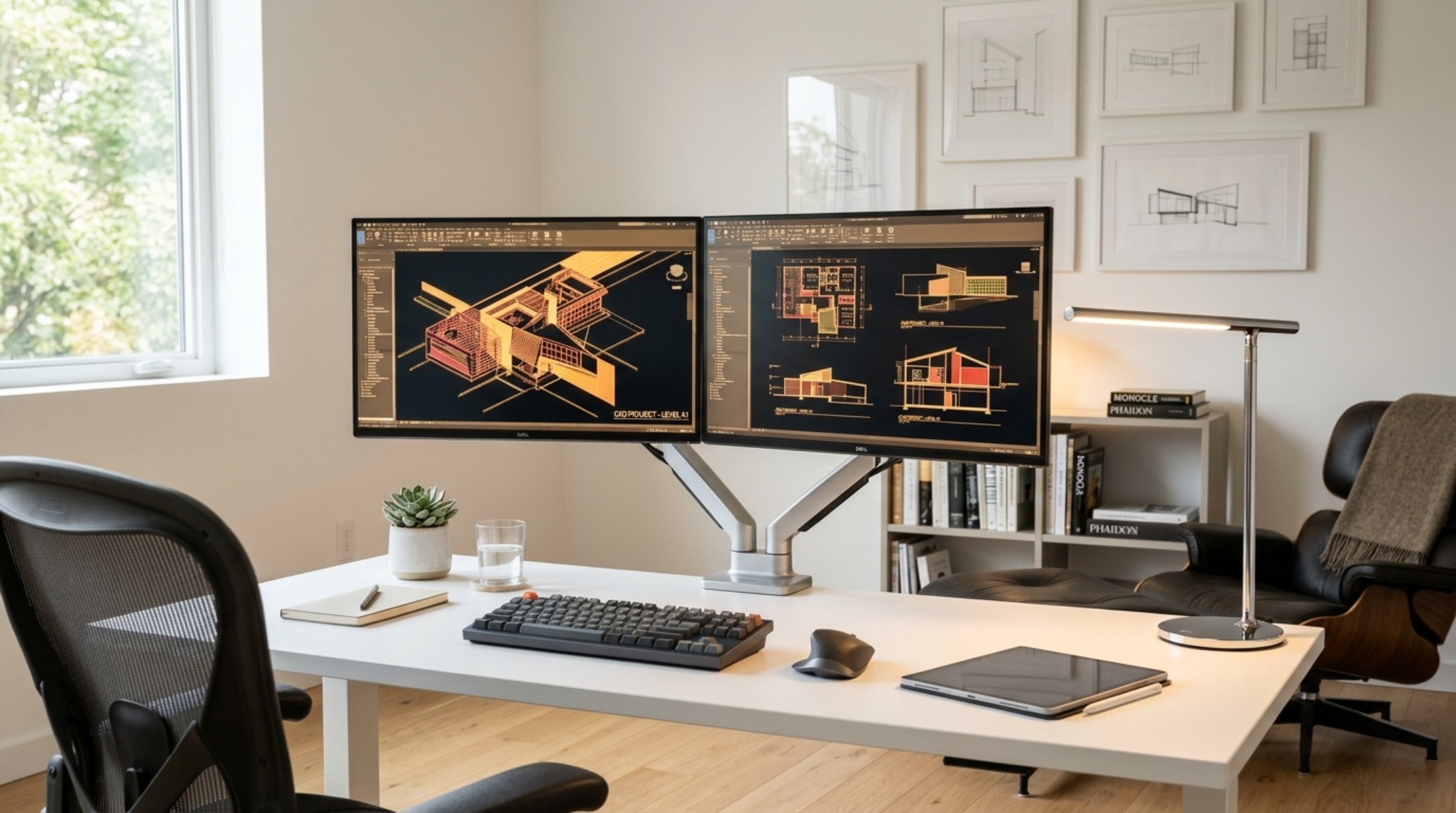
The placement of the monitor relative to the architect desks‘ surface is critical. The top of the screen should sit at eye level, encouraging the neck to stay in a neutral position. For those using dual monitors, the ‘arc’ of the screens should match the natural reach of the arms, minimizing repetitive neck rotation. We often see these high-tech setups balanced by organic textures—perhaps a leather desk mat or a linen-wrapped pinboard—to soften the coldness of the hardware. This juxtaposition of high-tech precision and tactile grounding is what separates a sterile office from a soulful studio.
Materiality, Form & Light Vignettes: The Vintage Wood Drafting Table for Home Office
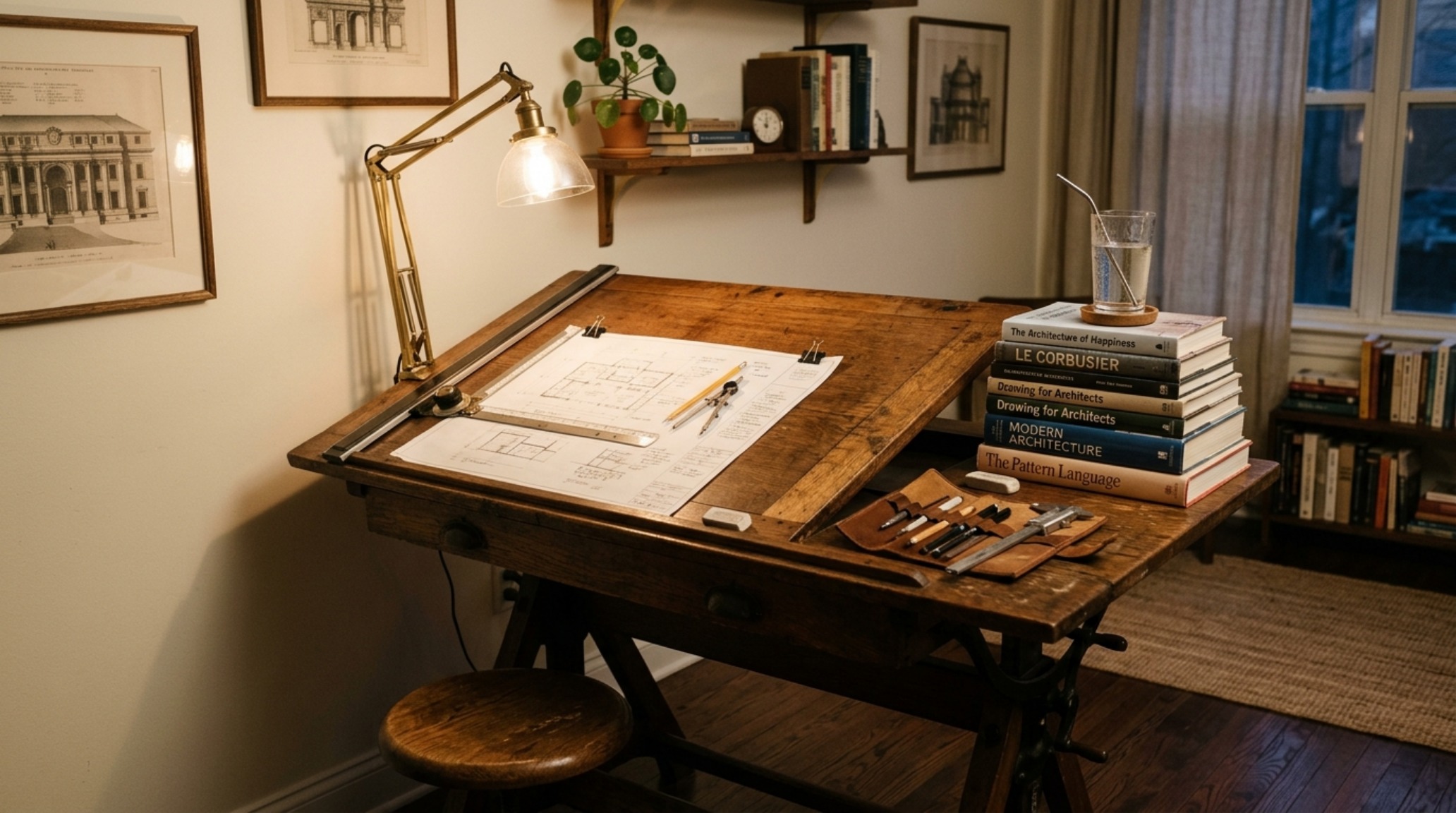
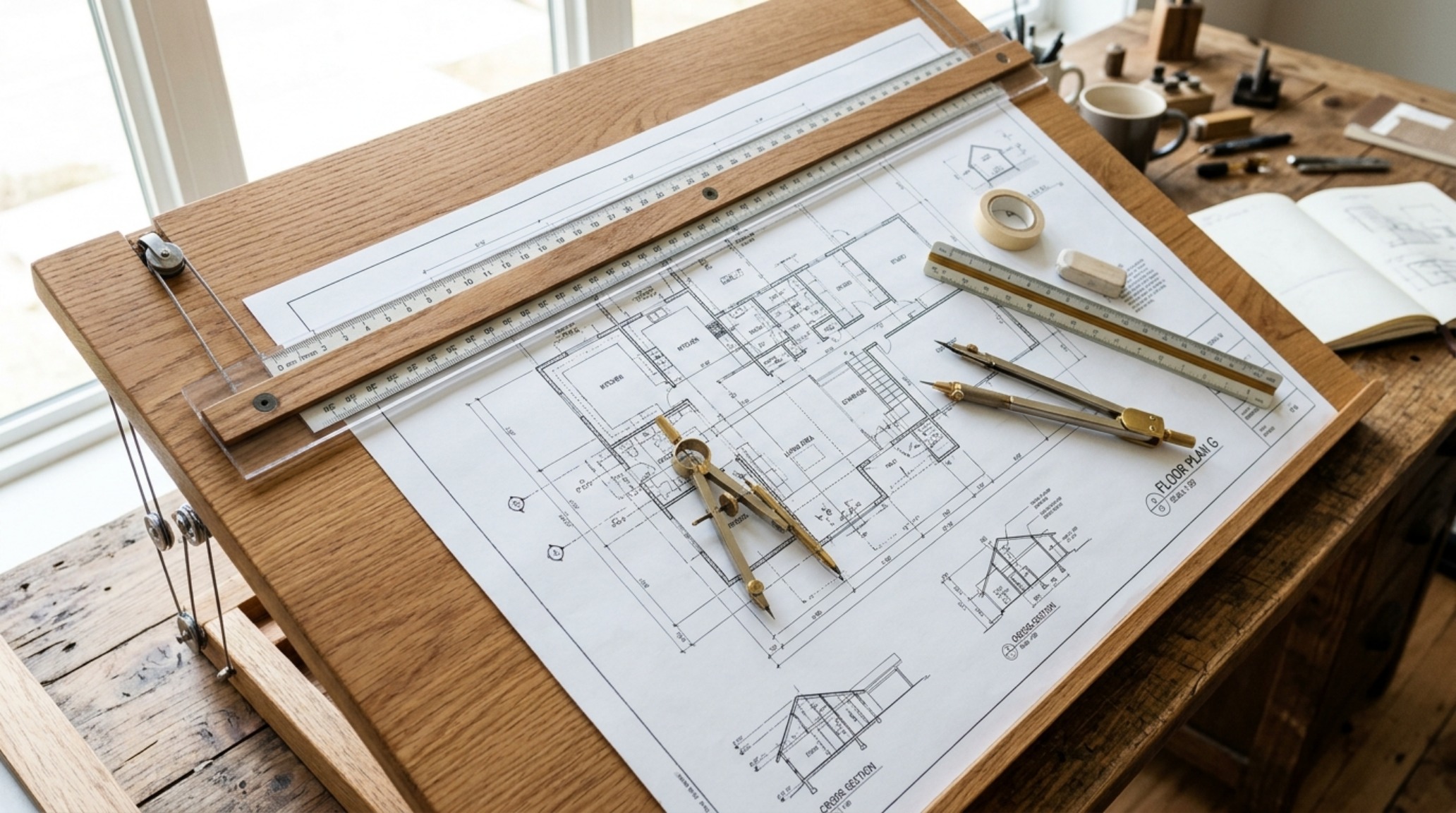
There is an undeniable romance in the analog heritage of our profession. Incorporating a vintage wood drafting table for home office use bridges the gap between history and the modern day. These tables, often crafted from solid oak or maple with heavy cast-iron bases, bring a sense of permanence and ‘weight’ to a room. They tell a story of craftsmanship. However, in a fluid studio, these vintage pieces must be adapted. We often retrofit them with modern cable management or pair them with a contemporary ergonomic chair to ensure they meet today’s health standards.
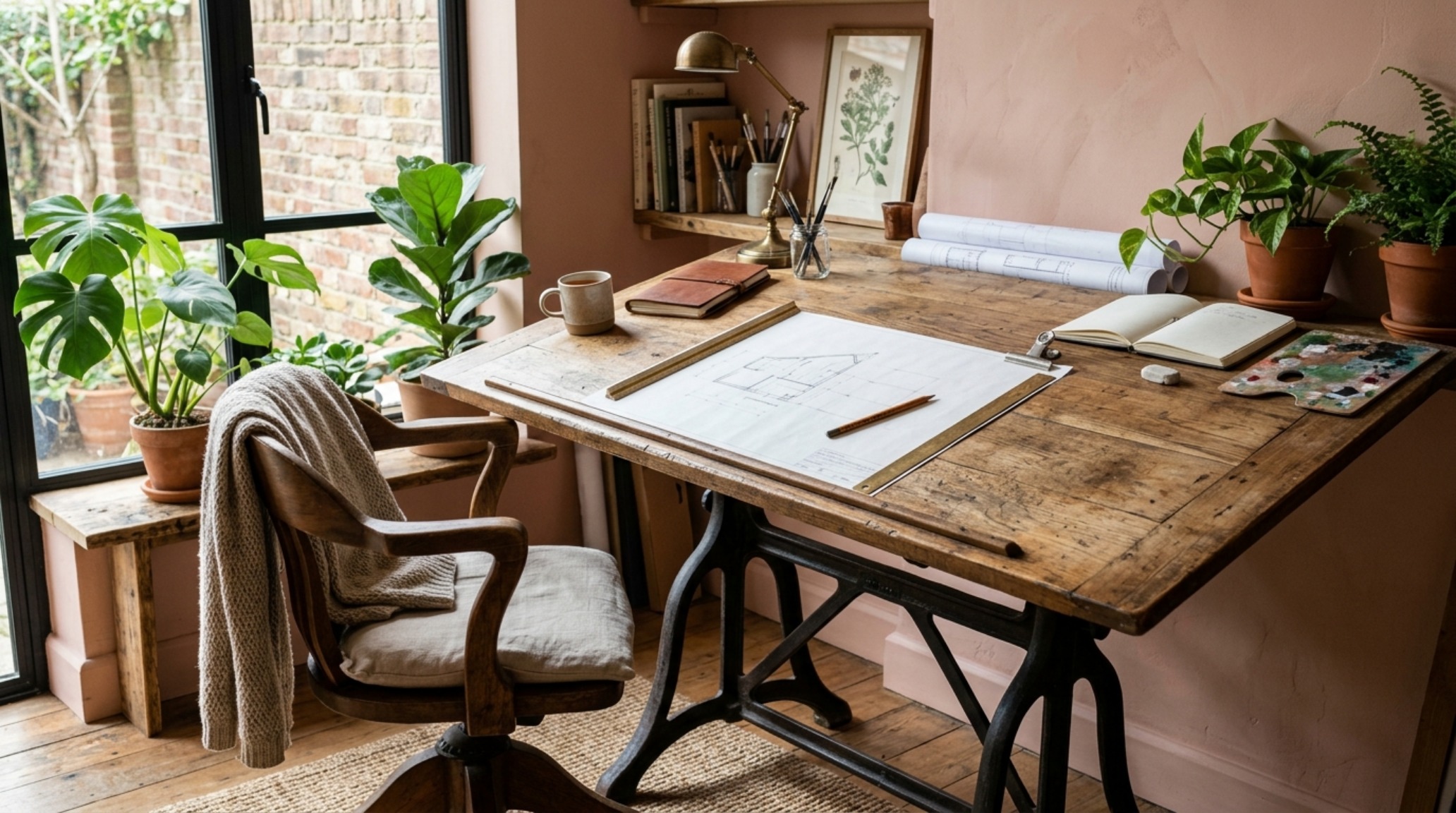
The patina of an old drafting table works beautifully against a modern architectural shell. Think of a wall painted in Farrow & Ball’s Setting Plaster—a soft, earthy pink—that provides a sophisticated contrast to the dark, honeyed tones of reclaimed wood. These architect desks act as conversational pieces, reminding us that while our tools change, the fundamental act of creation remains rooted in the human hand. It is this layering of old and new that creates a space with depth and personality, rather than a showroom-ready replica of a catalog page.
Architectural Perspectives Showcase: Precision with the Tilting Designer Workstation
For the professional who still engages in heavy manual drafting or detailed model making, the tilting designer workstation is the ultimate tool. The ability to angle the work surface reduces the strain on the back and neck when leaning over a large-format drawing. In a professional setting, this tilt functionality is paired with a lipped edge to prevent tools from sliding. We often integrate these into a multi-functional room by choosing models that can fold flat when not in use, essentially turning the drafting surface into a standard tabletop or a presentation area.
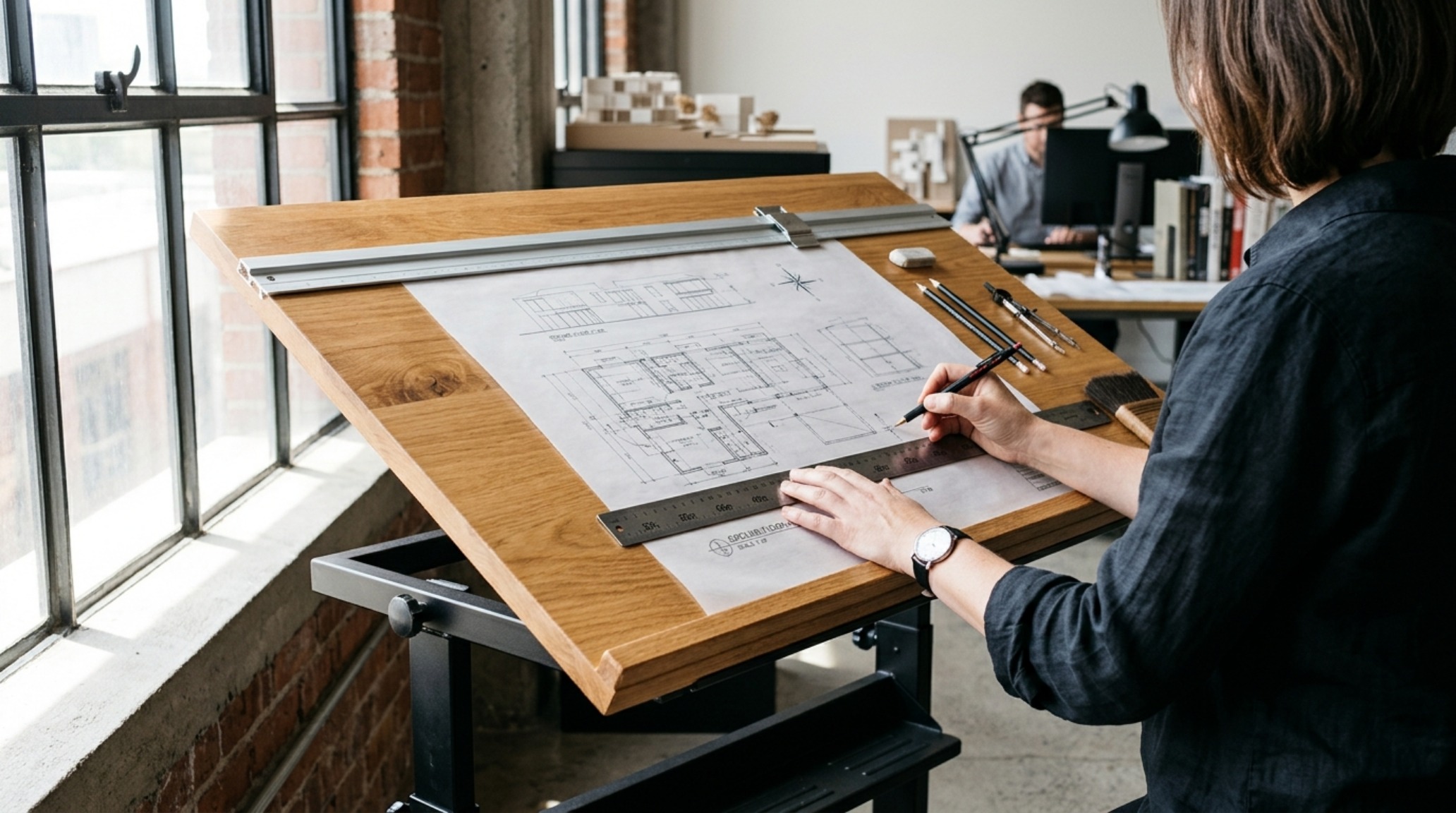
This kinetic flexibility is the hallmark of the fluid studio. It allows the room to evolve throughout the day—from a focused morning of CAD work to an afternoon of tactile sketching. The architect desks of the future are not static; they are responsive. They acknowledge that the creative process is messy, varied, and physical. By choosing a tilting workstation with a powder-coated steel frame and a high-pressure laminate or wood veneer top, you gain a surface that is as durable as it is beautiful. This is utility refined through the lens of high design.
Technical Breakdown & Material Schedule
Practical architectural ledger outlining surface materials, color values, and circulation dimensions.
Ultimately, the mastery of a professional workspace lies in the invisible details—the way a cable disappears into a hidden grommet, the way the chair glides across a low-pile rug, and the way the height-adjustable legs whisper as they lift. As we continue to blur the lines between where we live and where we design, the ‘Fluid Studio’ becomes a philosophy rather than just a layout. By prioritizing ergonomics and utility within our architect desks, we create more than just a place to work; we build an environment that sustains the creative spirit and respects the biological needs of the practitioner. The future of design isn’t just about what we build, but about the health and clarity of the spaces where those ideas are born.
Editorial Silo • Recommended Architecture Studies
- Beds That Save Space: The Architectural Blueprint & Spatial Flow Guide — Archival Design Case Study
- The Closed-Loop Life: Mastering the Functional Ergonomics of Self Sustaining Homes — Archival Design Case Study
Architectural Detail Showcase
Curated spatial snapshots examining the quiet dialogue between architectural daylight and tactile surfaces.


Curated Visual Lookbook
Design Gallery & Spatial Studies
A visual curation of architectural arrangements, lighting concepts, and material palettes featured in this space.